
Description
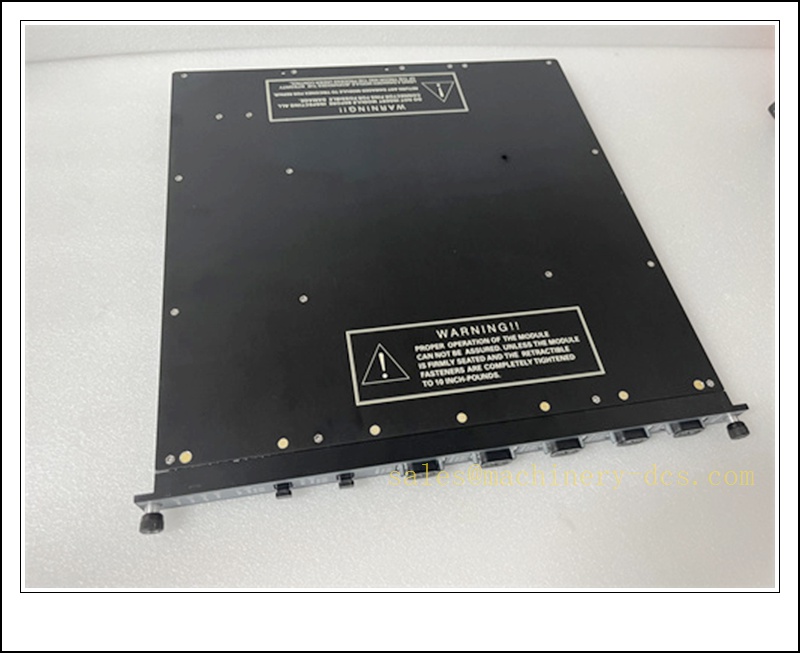
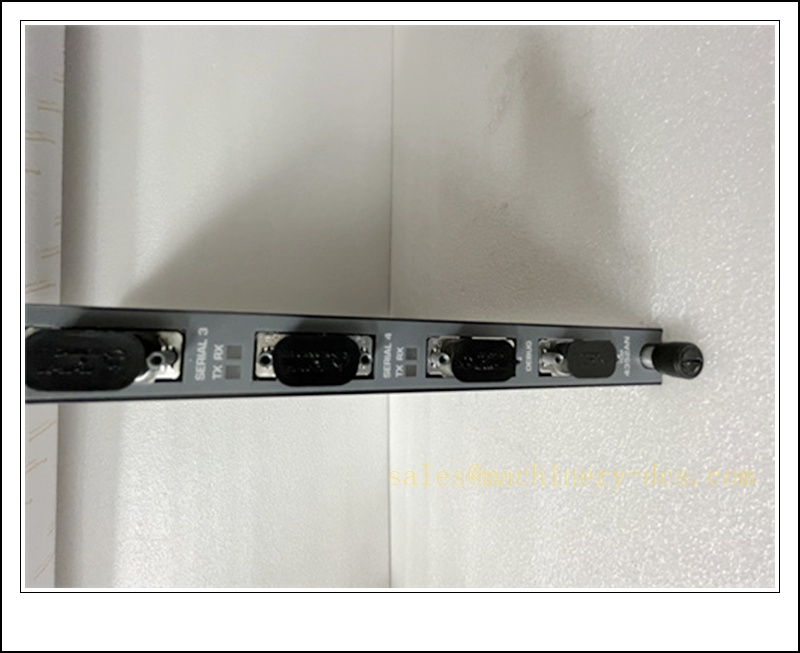
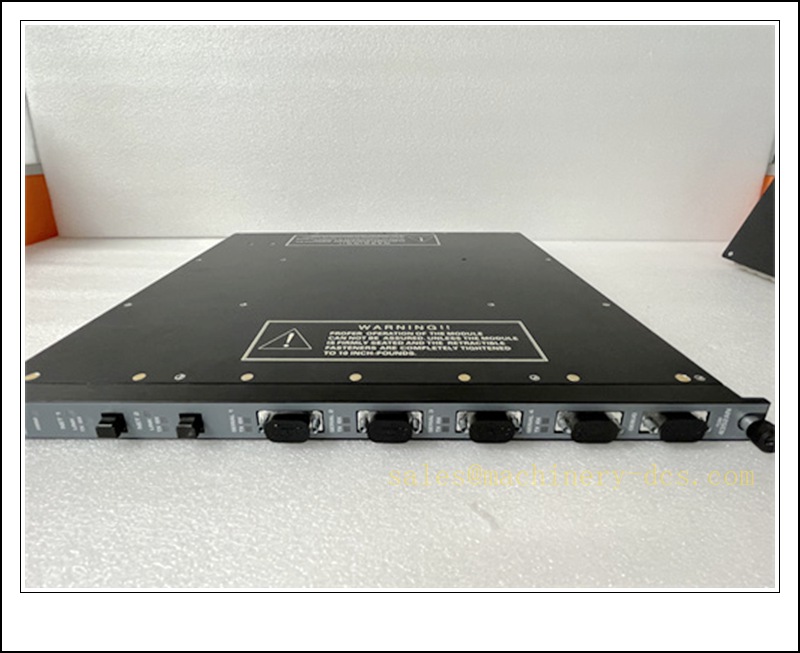
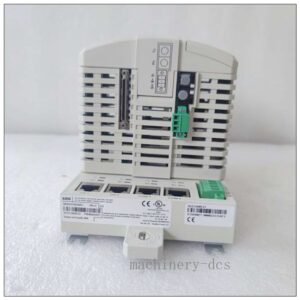
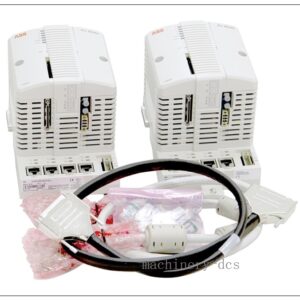
TRICONEX 4352B TCM Fiber Communication Module, Industrial Automation Spare Part
Product Core Overview
The 4352B is a fiber TCM (Tricon Communication Module) for Schneider Triconex Tricon v10 / v11 triple modular redundant SIS safety system, evolved from Invensys Triconex platformMade-in-Ch…. It provides multi-protocol external communication for the Tricon main processor, supporting peer-to-peer between Tricon racks, Modbus TCP, SNTP and network printer function. It adopts dual redundant communication design, used to connect SIS with DCS, SCADA, HMI and other host systems.Important compatibility rule: 4352A / 4352B cannot be mixed with old 4352 TCM in the same system, even in different chassisMade-in-Ch…. It is widely deployed in oil & gas, petrochemical, power ESD and burner management safety systems.This module is end-of-sale, only available as original surplus or fully tested refurbished spare for existing Tricon v10/v11 site maintenance.
TRICONEX 4352B
Main Technical Specifications
| Item | Specification |
|---|---|
| Brand | TRICONEX (Schneider Electric, ex-Invensys) |
| Model | 4352B |
| Series | Tricon v10/v11 TCM Fiber Communication Module |
| Product Type | TMR Safety Communication Module |
| Interface | Dual 100Mbps multi-mode fiber MT-RJ ports; serial ports |
| Protocol | Tricon peer-to-peer, Modbus TCP, SNTP, network print |
| Redundancy | Dual communication path, automatic failover |
| Architecture | Works with Tricon TMR 2oo3 safety controller |
| Power | Backplane powered, typical consumption ~12–15W |
| Operating Temperature | 0 ℃ ~ +60 ℃ |
| Ambient Humidity | 5%–95% RH, non-condensing |
| Mounting | Standard Tricon chassis logical slot (paired installation) |
| Diagnostic | Module OK, link, fault LEDs, comprehensive internal self-test |
| Safety Certification | IEC61508 SIL3 capable |
| Application | Petrochemical ESD, BMS, power safety interlock, cross-rack peer communication, DCS/SCADA interface |
Quality Control Procedure
- Visual Incoming Inspection: Check fiber MT-RJ ports, front status LEDs, backplane gold fingers, label and serial number, PCB for burn or corrosion.
- ESD Controlled Handling: All inspection and testing performed on grounded anti-static workstation with ESD wrist strap.
- Power-on Burn-in Test: Install in compatible Tricon chassis, continuous energisation for 4 hours; monitor LED status and temperature.
- Backplane TMR Bus Communication Test: Verify handshake with Tricon main processor.
- Fiber Link Test: Use optical tester to check fiber link, establish peer communication or Modbus TCP connection.
- Protocol Function Test: Verify Modbus TCP data exchange, SNTP time sync and network print function.
- Redundancy Switchover Test: Cut one fiber link, confirm automatic switchover without communication drop.
- Firmware Compatibility Check: Confirm firmware version matches site Tricon v10/v11 system.
- Data Archiving: Record serial number and full test report, attach inspection sticker, vacuum anti-static packaging.
- Pre-shipment Audit: Double-check it is fiber 4352B, not copper 4351B; confirm system version before dispatch.
Recommended Related Models & Order Codes (15pcs)
- 4351B Copper TCM (RJ45 Ethernet)
- 4352A Fiber TCM (earlier revision)
- 4353 TCM
- 4354 Fiber TCM
- 3008 Main Processor Module
- 3009 Main Processor Module
- 3503E Digital Input Module
- 3625 Analog Input Module
- 3700A Digital Output Module
- Tricon Power Supply 8312
- Tricon Main Chassis
- MT-RJ multi-mode fiber cable
- Tricon system backplane
- 4000 Series HMI
- Triconex replacement communication module for new migration
Frequently Asked Questions
Q1: Can 4352B replace 4351B directly?A: No. 4352B is fiber interface; 4351B is copper RJ45. Hardware slot is same, but cabling, network topology and system configuration differ. They cannot be randomly swapped.
Q2: Is 4352B discontinued?A: Yes, it is end-of-sale for Tricon v10/v11 lifecycle. New project migration adopts newer Tricon CX platform communication modules.
Q3: Does 4352B support hot swap?A: Tricon chassis supports hot swap of TCM. But external communication (Modbus, peer link to other racks) will be interrupted during replacement. The safety logic and trip function of Tricon CPU itself remain active. Site safety permit is mandatory.
Q4: Communication link fault after installation, what should I check?A: Check fiber cleanliness and bending radius, MT-RJ connector, TCM firmware version, logical slot pairing configuration, peer node address and Tricon system software compatibility. Use Tricon diagnostic tool to read link error count.
Q5: Warranty terms?A: Original surplus new: 12-month warranty. Refurbished tested stock: 6-month warranty. Damage caused by fiber port contamination, ESD, incompatible firmware, wrong system version, optical over-power input is excluded.
Q6: Commissioning software?A: Tricon Workbench / TriStation. Back up TCM communication configuration, peer table and Modbus mapping before replacement.
Installation & Configuration Guide
Pre-installation Preparation
- Cabinet environment: dust control, fiber cable bending radius ≥30mm, separate from high-power noise cables.
- Prepare ESD protection, insulated screwdriver, fiber cleaning kit, optical tester, TriStation software and system config backup.
- Apply site work permit for SIS safety system.
Installation Steps
- Confirm safety permit, evaluate communication interruption impact.
- Release latch, pull out the old 4352B vertically from logical slot.
- Unpack new spare under ESD protection; do not touch gold fingers and fiber receptacles.
- Insert new TCM into slot and lock latch.
- Clean MT-RJ fiber connectors, plug fiber cables strictly according to NET1/NET2 marking.
- Confirm chassis protective earth.
Configuration & Commissioning
- Observe front LEDs after hot insertion, confirm module OK light.
- Open TriStation, go online to Tricon rack and recognise the new TCM.
- Download matching TCM firmware if required, restore peer communication table and Modbus configuration.
- Test fiber link, Modbus read/write, SNTP time synchronization and redundant path switchover.
- Monitor communication stability for enough time, clear system alarms after self-diagnosis passes.
- Confirm DCS/SCADA data normal, hand over and save commissioning log.
Maintenance Notes
- MT-RJ fiber ports are very sensitive to dust; always put dust caps on spare modules.
- TCM is only for external communication; it is not inside the safety trip voting path, CPU and I/O modules undertake the safety function.
- Keep spare modules stored in dry, shockproof anti-static packaging with fiber caps fitted.
- Do not mix old 4352 and new 4352B TCM in one system.

 Send an Email