
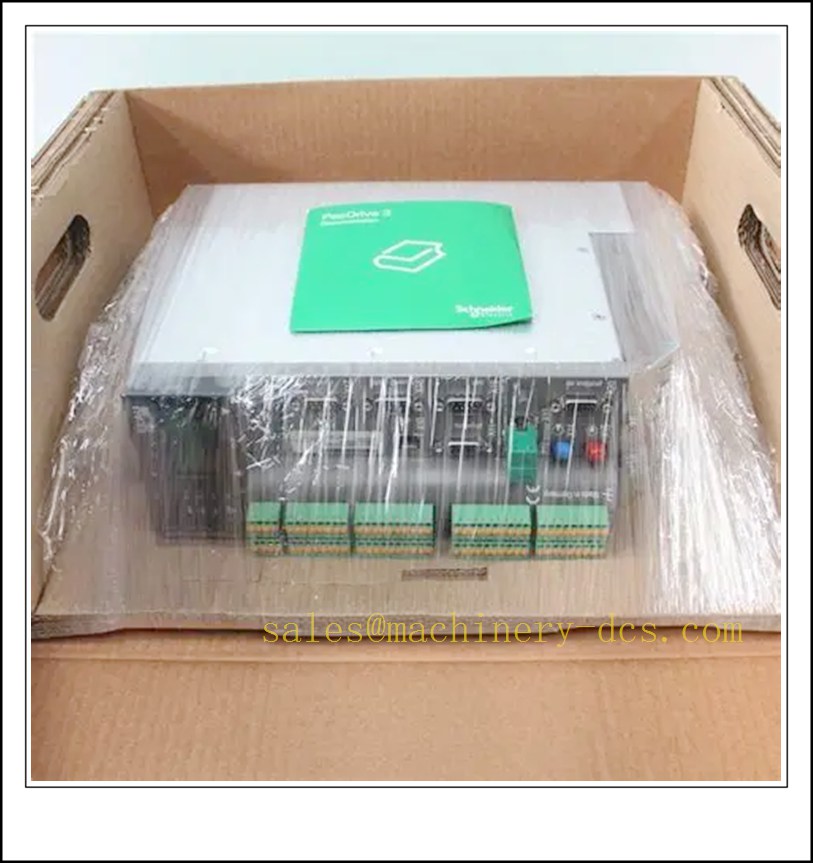
Description
ELAU PacDrive C600/10/1/1/1/00 Motion Controller, Industrial Automation Spare Part
Product Core Overview
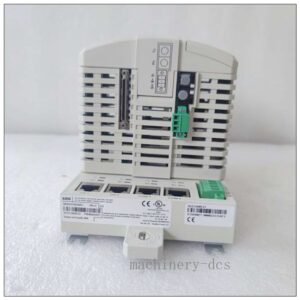
The C600/10/1/1/1/00 is an ELAU (Schneider Electric) PacDrive C600 high-performance multi-axis motion controller. It serves as the master control unit for SERCOS-based servo systems, integrating PLC logic and real-time motion control on a single platform. This variant supports up to 10 servo axes, widely deployed in high-speed packaging, converting, printing and processing machinery.It runs the VxWorks real-time operating system and executes electronic cam, flying shear, mark registration, multi-axis synchronization and gearing functions. The C600 series is manufacturer end-of-life, available as surplus original stock or fully tested refurbished spare parts for legacy PacDrive production lines, enabling fast replacement to cut machine downtime.
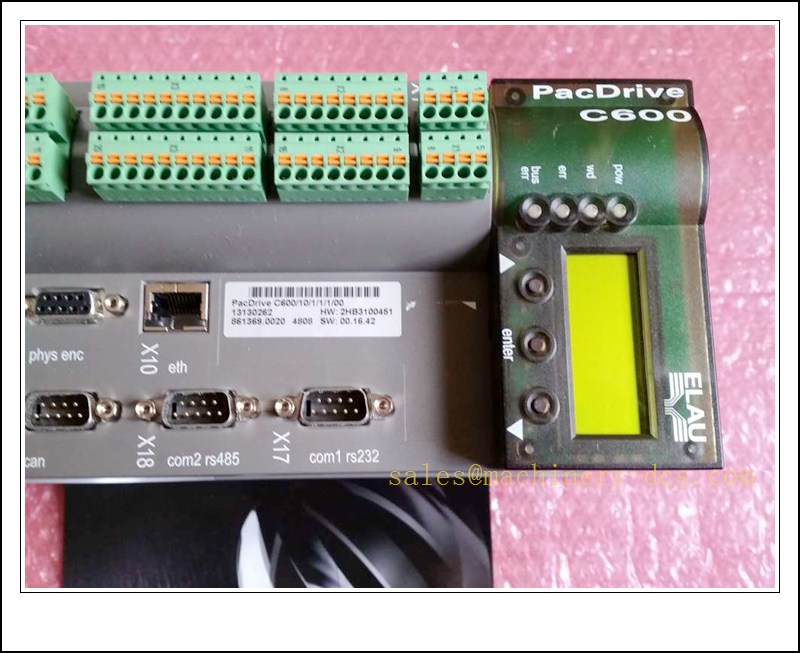
C600/10/1/1/1/00
Main Technical Specifications
| Item | Specification |
|---|---|
| Brand | ELAU (Schneider Electric) |
| Model | C600/10/1/1/1/00 |
| Series | PacDrive C600 |
| Product Type | Multi-axis Motion Controller |
| Max Controlled Axes | 10 axes via SERCOS bus |
| Processor | High-performance real-time CPU |
| Operating System | VxWorks Real-Time OS |
| Programming Standard | IEC 61131-3 |
| Supply Voltage | 24 VDC (20–33 VDC tolerance) |
| Communication | SERCOS, Ethernet TCP/IP, RS232, optional fieldbus |
| Operation Temperature | 0 ℃ ~ +55 ℃ |
| Ambient Humidity | 5%–90% RH, non-condensing |
| Protection Rating | IP20 (cabinet internal mounting) |
| Mounting | DIN rail mounting |
| Integrated Functions | Electronic cam, flying saw, registration control, touch probe, PLC interlock |
| Protection | Overvoltage, undervoltage, over-temperature, watchdog fault protection |
| Application | Packaging, printing, slitting & rewinding, textile, automated handling equipment |
Quality Control Procedure
- Visual Incoming Inspection: Check casing, display panel, terminal connectors, PCB condition, label and serial number integrity.
- ESD Controlled Handling: All inspection and testing performed on grounded anti-static workstation with ESD wrist strap.
- Power-on Burn-in Test: Continuous energisation with 24VDC for 4 hours; monitor display, status LEDs and temperature.
- SERCOS Communication Test: Connect to servo network, verify bus scan, axis identification and motion command response.
- Firmware Validation: Confirm firmware revision matches the original project software version.
- I/O Channel Test: Force digital and analog channels to validate signal acquisition and output.
- Data Archiving: Record SN and full test report, attach inspection sticker, vacuum anti-static bag packaging.
- Pre-shipment Audit: Double verify full model suffix and quantity before shipment.
Recommended Related Models & Order Codes (15pcs)
- C600/A8/0/1/0/00
- C400/A8/1/1/1/00
- C400/A6/1/1/1/00
- MAX-4/11/03/032/99/1/1/00
- MAX-4/11/05/064/99/1/1/00
- iSHPS-5
- DB-5
- MG3-1G-1G-PM
- MC-4/11/05/400
- MC-2/11/05/400
- SH100/40060/0/1/00
- SH30701P02A2000
- SM-070/10/0/0/00
- SCL055
- SCL100
Frequently Asked Questions
Q1: Can /10/1/1/1/00 replace C400/A8/1/1/1/00 directly?A: Both belong to PacDrive controller family, but axis capacity, hardware resource and firmware are different. Full project backup and software version matching are mandatory before replacement.
Q2: Is this controller discontinued?A: Yes, ELAU PacDrive series is end-of-life. Available supply is surplus original stock or tested refurbished spare parts.
Q3: Can I hot swap this motion controller during machine running?A: Hot swap is NOT supported. Power off the 24VDC supply and perform LOTO lockout before removal and replacement.
Q4: Display shows SERCOS bus fault after installation, what to check?A: Inspect SERCOS fibre cable, bus termination, servo drive power, node address and axis configuration in PacDrive Software.
Q5: What is the warranty policy?A: Original surplus new: 12-month warranty. Refurbished tested stock: 6-month warranty. Damage caused by wrong voltage, ESD, miswiring or firmware mismatch is excluded.
Q6: Which software is used for programming and commissioning?A: ELAU PacDrive Software (PDS). A complete backup of the machine project must be retained for commissioning.
Installation & Configuration Guide
Pre-installation Preparation
- Confirm cabinet environment: clean, dust-free, no condensation, away from high-power frequency converters and high-voltage cables.
- Prepare ESD protection, insulated screwdriver, 24VDC power supply, SERCOS communication cable and the original project file.
- Complete full backup of the running project and axis parameters before removing the existing controller.
Installation Steps
- Execute LOTO lockout-tagout procedure; cut off 24VDC control power and servo main power.
- Release DIN rail latch and remove the old controller carefully.
- Unpack the new spare under ESD protection; avoid touching internal PCB and connectors.
- Mount the unit firmly on DIN rail and lock the fixing latch.
- Wire 24VDC power, I/O terminals, SERCOS bus and Ethernet port strictly following wiring diagram. Separate signal cables from power cables.
- Double-check terminal torque and shielding grounding.
Configuration & Commissioning
- Power on the 24VDC control supply, observe front panel display and status indicators.
- Launch PacDrive Software and establish Ethernet connection to the controller.
- Download the validated matching project file.
- Scan SERCOS network, confirm all connected servo axes are detected online without bus alarms.
- Run single-axis jog test to verify rotation direction, encoder feedback and limit switch function.
- Test cam curves, flying shear and synchronous motion functions under manual mode.
- Clear all residual alarms after system self-diagnosis passes.
- Switch machine back to automatic production mode and save the commissioning log.
Maintenance Notes
- Keep ventilation slots clean; dust accumulation will trigger over-temperature alarm.
- Do not open the metal casing; unauthorised disassembly voids warranty.
- Store spare controller in dry anti-static packaging, avoid vibration and temperature cycling.

 Send an Email