
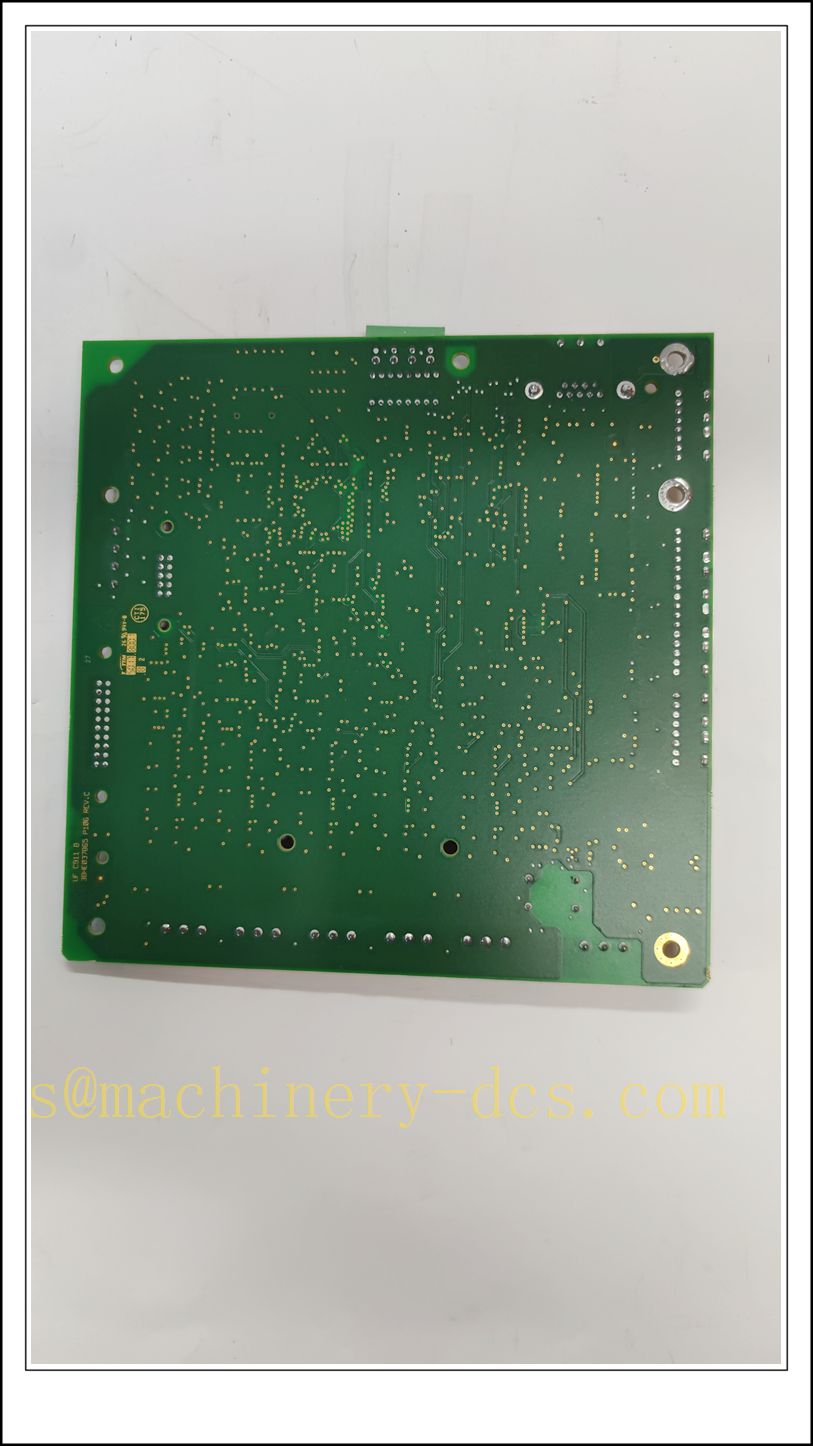
Description
ABB UFC911B106 | 3BHE037864R0106 Controller Board, Industrial Automation Spare Part
Product Core Overview
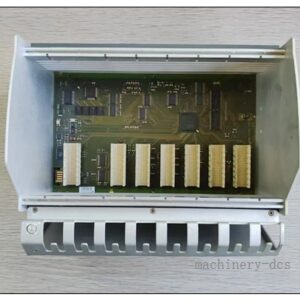
The UFC911B106 (Order No.: 3BHE037864R0106) is an ABB high-performance controller board designed for industrial drive and power control systems. It serves as the core processing unit to execute control algorithms, handle signal interlocking, communicate with peripheral I/O modules and host systems.Built with robust industrial-grade components and comprehensive on-board diagnostic functions, this modular board supports stable operation in harsh factory environments. It is widely applied in heavy-duty power drives, energy conversion, metallurgy, pulp & paper, and power plant control systems. The compact slot-mounted design allows rapid replacement to minimize production downtime during maintenance.
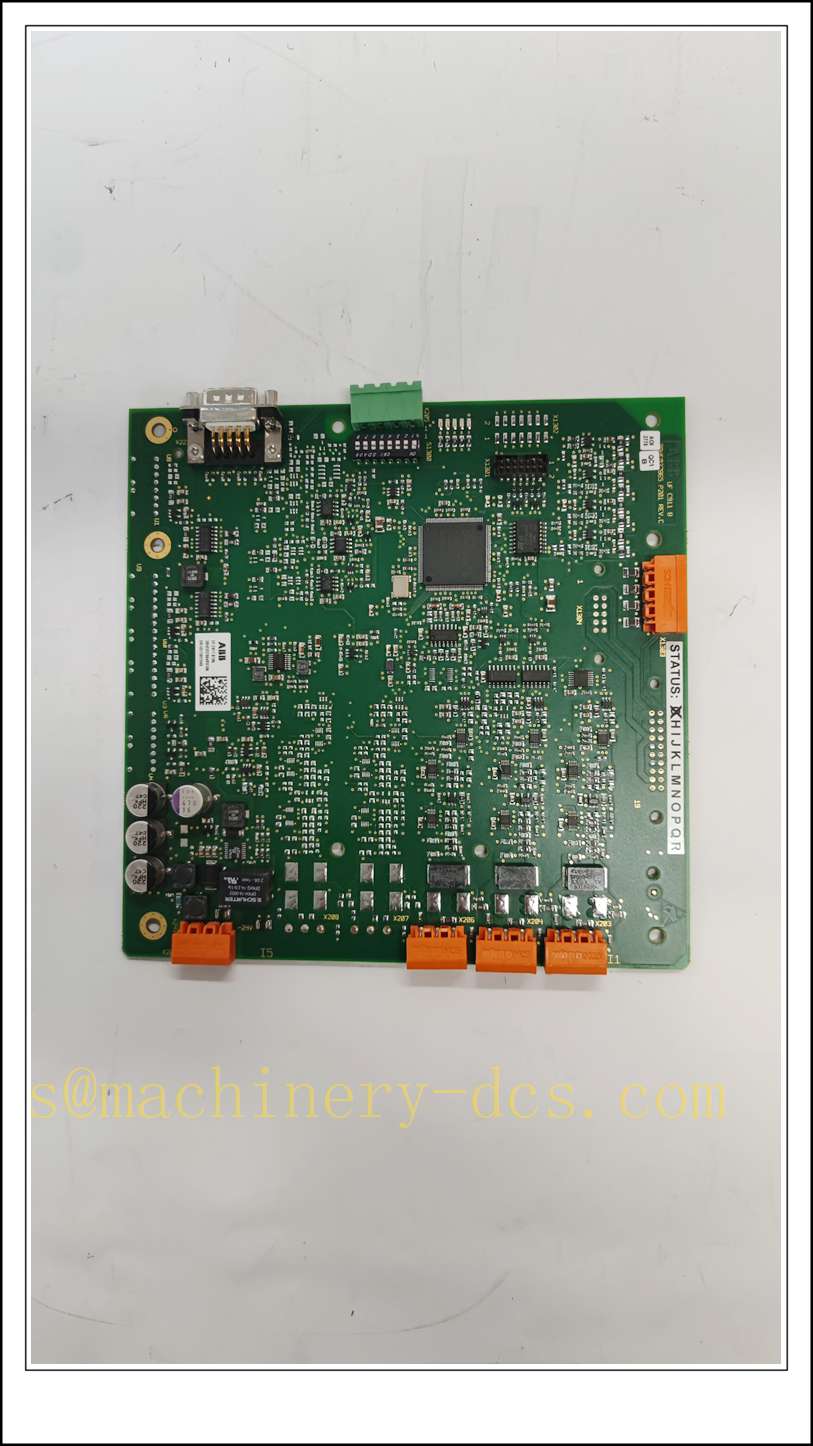
UFC911B106 3BHE037864R0106
Main Technical Specifications
| Item | Specification |
|---|---|
| Brand | ABB |
| Model | UFC911B106 |
| Order Code | 3BHE037864R0106 |
| Product Type | Main Controller Board |
| Supply Voltage | 24 VDC (±10% tolerance), reverse polarity protection |
| Operating Temperature | -25 ℃ ~ +70 ℃ |
| Relative Humidity | 5% – 95% RH, non-condensing |
| Protection Class | IP20 (cabinet installation only) |
| Communication | High-speed internal backplane bus, support shielded differential transmission |
| Diagnostic | Onboard status & fault LED indicators, watchdog circuit |
| Protection | Overvoltage, overcurrent, over-temperature hardware protection |
| Mounting | Backplane slot installation |
| Applicable System | ABB high-power drive & excitation control systems |
Quality Control Procedure
- Visual incoming inspection: Inspect PCB, solder points, connectors, component integrity, label and packaging.
- Full ESD control: All testing and handling are performed on grounded ESD workstations with anti-static wrist straps.
- Power-on burn-in test: Continuous energized ageing at rated voltage for 4 hours, monitor LED status and bus stability.
- Functional verification: Install on matching backplane, run official diagnostic software to validate processor and communication channels.
- Firmware compatibility check: Confirm firmware revision matches the target control system.
- Data archiving: Record serial number and test report, attach inspection label, vacuum anti-static packaging.
- Pre-shipment double check: Verify model number, order code and quantity before delivery.
Recommended Related Models & Order Codes (15 units)
- UFC911B102 / 3BHE037864R0102
- UFC911B104 / 3BHE037864R0104
- UFC911B108 / 3BHE037864R0108
- UFC719AE01 / 3BHB000272R0101
- UFC718AE01 / 3BHB000271R0101
- KUC711AE101 / 3BHB004661R0101
- SDCS-POW-4 / 3BHB002558R0001
- SDCS-IOB-23 / 3BSE005731R0001
- CI853 / 3BSE003828R1
- CI840A / 3BSE041434R1
- TB840A / 3BSE020848R1
- AI830A / 3BSE008518R1
- AO810 / 3BSE008522R1
- DI810 / 3BSE008508R1
- DO810 / 3BSE008510R1
Frequently Asked Questions
Q1: Is UFC911B106 3BHE037864R0106 interchangeable with UFC911B102?A: They belong to the same UFC911 series. Hardware form factor is identical, but firmware and software versions differ. Compatibility must be confirmed before direct replacement.
Q2: Does this board support hot swap?A: Hot-swap function depends on the system configuration and backplane type. For non-redundant single control loops, power-off replacement is required.
Q3: Red fault LED illuminates after installation, how to troubleshoot?A: Check 24 VDC power supply voltage and polarity first. Verify backplane connection and shielding wiring. Use ABB diagnostic tool to read specific fault codes.
Q4: What is the warranty coverage?A: Original new spare parts carry a 12-month warranty. Refurbished items come with 6-month warranty. Damage caused by ESD, incorrect wiring or overvoltage is excluded.
Q5: Can it be used for ABB excitation control systems?A: Yes, this controller board is widely used in ABB generator excitation and large drive control cabinets.
Q6: Can I upgrade the firmware on site?A: Firmware upgrade must use official ABB software and matched firmware package. Wrong firmware will lead to communication failure or board lock-up.
Installation & Configuration Guide
Pre-installation Preparation
- Confirm the control cabinet environment: low dust, no condensation, good ventilation, separated from high-power cables.
- Prepare ESD protection tools, insulated screwdriver, matched backplane and shielded communication cables.
- Back up the existing project parameters before removing the original board.
Installation Steps
- Execute safety lockout & tag-out procedure, cut off the 24 VDC power of the backplane.
- Release the slot latch and pull out the faulty board steadily.
- Take the new board out of anti-static vacuum bag with ESD wrist strap on. Do not touch PCB traces and golden fingers.
- Align the connector, insert the board vertically into the backplane slot and lock the latch.
- Route communication cables with shielded twisted pairs. Separate signal cables from high-voltage power cables.
- Restore DC power and observe the LED status on the front panel.
Configuration & Commissioning
- Launch ABB control programming software and refresh the hardware tree.
- Confirm the controller board is detected online.
- Download the validated project configuration and check parameter mapping.
- Carry out interlock and signal loop test to verify control response.
- Clear alarms after system self-diagnosis returns no hardware faults.
- Switch the system back to automatic mode and fill in equipment maintenance record.
Maintenance Notes
- Do not apply liquid cleaning agents directly on the circuit board.
- Check connector tightness and cable shielding during regular shutdown inspection.
- Store spare boards in sealed anti-static bags under dry indoor conditions.

 Send an Email