
Description
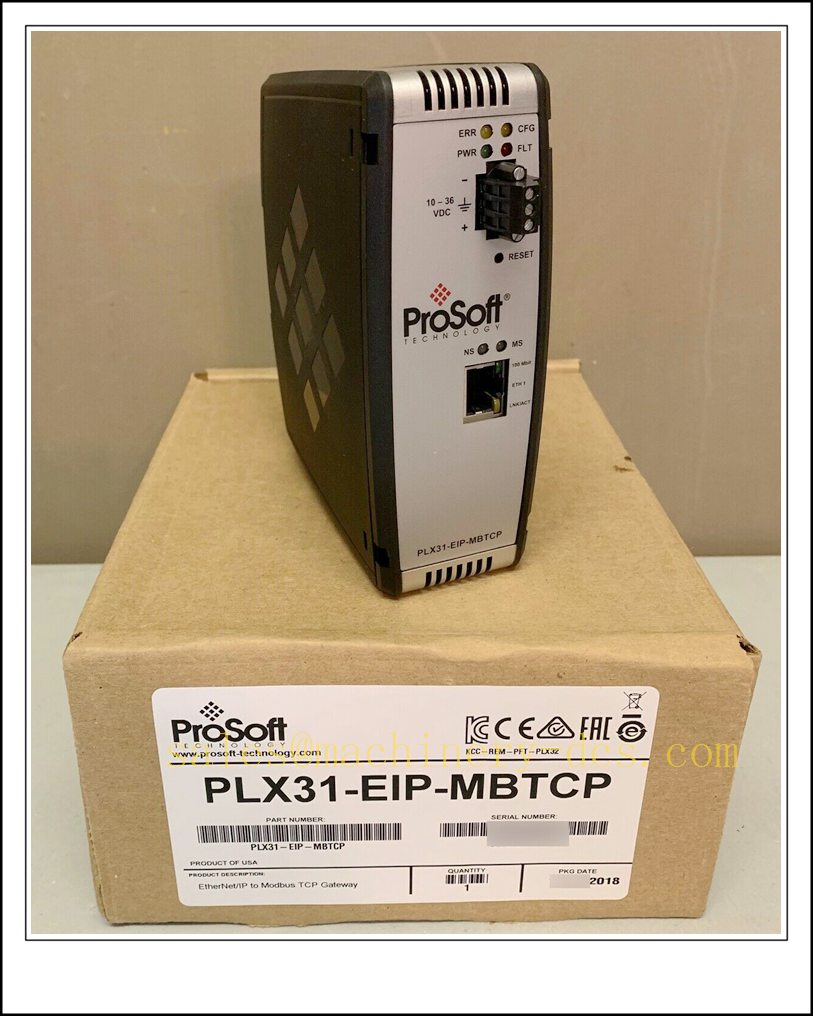
PLX31-EIP-MBTCP, ProSoft Technology PLX31 Series Bidirectional EtherNet/IP Adapter to Modbus TCP/IP Communication Gateway
Core Product Introduction
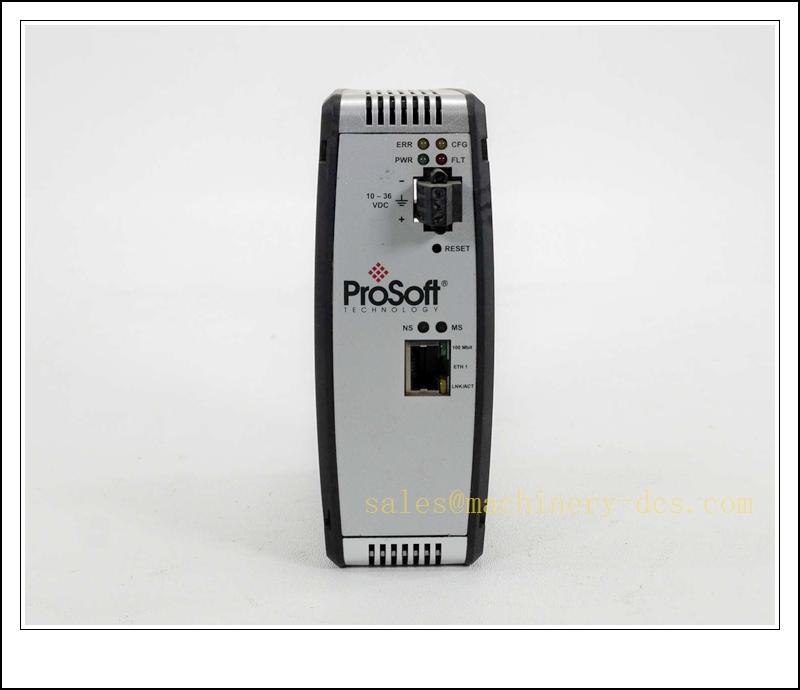
The PLX31-EIP-MBTCP is an independent industrial protocol gateway from ProSoft PLX31 platform. It bridges Rockwell EtherNet/IP controllers (ControlLogix, CompactLogix, Micro800) with Modbus TCP instruments, VFDs, meters, RTUs and third-party PLCs, supporting high-speed bidirectional data exchange. It operates as EtherNet/IP adapter (Class 1 implicit I/O + Class 3 explicit messages) while running Modbus TCP client & server concurrently. Built‑in EDS add‑on profile enables seamless integration inside Studio5000. SD card slot supports configuration backup and fast recovery; conformal coated variant is available for harsh corrosive environments. Widely used in water treatment, power, oil & gas, packaging and material handling systems.
Main Technical Specifications
| Item | Parameter |
|---|---|
| Part Number | PLX31-EIP-MBTCP |
| Manufacturer | ProSoft Technology |
| Series | PLX31 |
| Function | EtherNet/IP ↔ Modbus TCP/IP bidirectional gateway |
| EtherNet/IP Role | Adapter, 2 × Class1 I/O connections |
| I/O Data Size | 248 bytes Input / 248 bytes Output per I/O connection |
| Minimum RPI | 5 ms |
| Modbus TCP | Multi-client (10 clients) + Multi-server (5 servers) |
| Supported Modbus Function Codes | 01,02,03,04,05,06,15,16,22,23 |
| Ethernet Ports | 2 × 10/100 Mbps RJ45 (Dual port, switch mode) |
| Storage | Micro SD card slot for config backup |
| Supply Voltage | 24 VDC |
| Power Consumption | Max 3.5 W |
| Mounting | DIN rail |
| Operating Temperature | -40 °C ~ +70 °C (coated version for aggressive atmosphere) |
| Storage Temperature | -40 °C ~ +85 °C |
| Humidity | 5%–95% RH, non-condensing |
| Certifications | CE, cULus, ATEX option |
| Lifecycle Status | Active |
| Weight | ~0.18 kg |
Quality Control Procedure
- Visual & Label Inspection: Verify original ProSoft marking, catalog -EIP-MBTCP, serial number, dual RJ45 Ethernet, SD slot and terminal block; no cracked housing or damaged pins.
- 24VDC Power Boot Test: Apply 24 VDC supply, confirm PWR, LINK, ACT LED status, no abnormal heating.
- EtherNet/IP Adapter Test: Import EDS profile into Studio5000, establish Class1 I/O connection with Logix controller, verify cyclic data exchange.
- Modbus TCP Client Test: Connect to Modbus TCP slave simulator, execute read/write register commands, validate register mapping.
- Modbus TCP Server Test: Accept read/write requests from external Modbus TCP master, check data response consistency.
- Command List Validation: Load up to 160 configurable Modbus commands, test polling, write-on-change and error reporting.
- SD Card Backup/Restore Test: Save configuration to SD card and restore to confirm disaster recovery function.
- Dual-port Switch Function Test: Test daisy-chain network mode between two Ethernet ports.
- Firmware Compatibility Check: Confirm firmware matches customer Studio500 version and project baseline.
- Packaging & Traceability: Anti-static bag, foam packing, serial-number QC report before shipment.
Frequently Asked Questions (FAQ)
Q1: What is the difference between -EIP-MBTCP and PLX32-EIP-MBTCP?A1: is compact DIN-rail single gateway; PLX32 is the higher-performance, hot-swappable rack-mount variant with larger data capacity. They use different configuration software and hardware platforms, not drop-in compatible.
Q2: Can it work as EtherNet/IP master?A2: No. It only acts as EtherNet/IP Adapter (slave side). The Logix PLC is the EtherNet/IP scanner/master.
Q3: Does it support Modbus RTU / serial Modbus?A3: This model is TCP only. If serial Modbus is required, select -EIP-MBS (EtherNet/IP to Modbus RTU).
Q4: What software is used for configuration?A4: ProSoft Configuration Builder (PCB). EDS file is imported into Studio5000 for Logix I/O assembly mapping.
Q5: Can the two Ethernet ports be used for redundant networks?A5: The two ports are internal switch, for daisy-chain topology, not hardware network redundancy.
Q6: Is conformal coating standard?A6: Standard unit is uncoated; coated version is an optional part number for offshore / high-corrosion sites.
Installation & Configuration Guide
- Pre-install Preparation: 24VDC power supply, Ethernet cables, PC with ProSoft Configuration Builder, Studio5000, EDS profile file.
- DIN Rail Mounting: Clip gateway onto standard DIN rail, lock securely.
- Wiring: Connect 24VDC power and protective earth; separate control Ethernet from high-power wiring.
- Network Connection: Port 1 to EtherNet/IP scanner (Logix PLC), Port 2 to Modbus TCP field network or daisy-chain next device.
- IP Assignment: Use ProSoft Discovery Service to set gateway IP address without same-subnet PC.
- PCB Configuration: Create Modbus command list, define register mapping, set polling rates and fault handling.
- Studio5000 Integration: Import EDS, add gateway to I/O tree, configure assembly sizes and RPI.
- Download Configuration: Download compiled project into gateway and save copy to SD card.
- Online Commissioning: Monitor EtherNet/IP cyclic I/O and Modbus register values; test fault response for slave timeout.
- Backup: Save PCB project, firmware revision and mapping table to project archive.
Warning: All Modbus slave devices will lose communication if this gateway fails. For critical control loops, redundant network architecture and bypass logic are recommended.
Related ProSoft Series Models & Accessories (15 pcs)
| Model | Order Number | Description |
|---|---|---|
| EtherNet/IP to Modbus Serial | -EIP-MBS | EtherNet/IP to Modbus RTU gateway |
| Modbus TCP to S7 Siemens | -MBTCP-SIE | Modbus TCP to Siemens S7 ISO-on-TCP |
| Modbus TCP to Modbus Serial | -MBTCP-MBS | Modbus TCP ↔ Modbus RTU |
| EtherNet/IP to Profinet IO | -EIP-PND | EtherNet/IP to Profinet Device |
| Coated -EIP-MBTCP | -CC | Conformal coated version |
| PLX32 Rack High Version | PLX32-EIP-MBTCP | Rack mount high capacity gateway |
| ProSoft Configuration Builder | PCB-SOFTWARE | Gateway programming tool |
| PLX EDS Profile File | -EDS | Studio5000 add-on profile |
| DIN Rail Accessory | PLX-ACC-DIN | Spare mounting clip |
| 24V Power Supply | PLX-PS24 | 24VDC power brick |
| Modbus TCP Simulator | MODSIM | PC test tool for Modbus TCP |
| EtherNet/IP Scanner Simulator | EIPScan | PC EtherNet/IP test software |
| SD Card for | PLX-SD-01 | Micro SD for config backup |
| Profibus DP to EtherNet/IP | -PDP-EIP | Profibus DP to EtherNet/IP |
| MBTCP to DNP3 | -MBTCP-DNP | Modbus TCP to DNP3 gateway |

 Send an Email