
Description
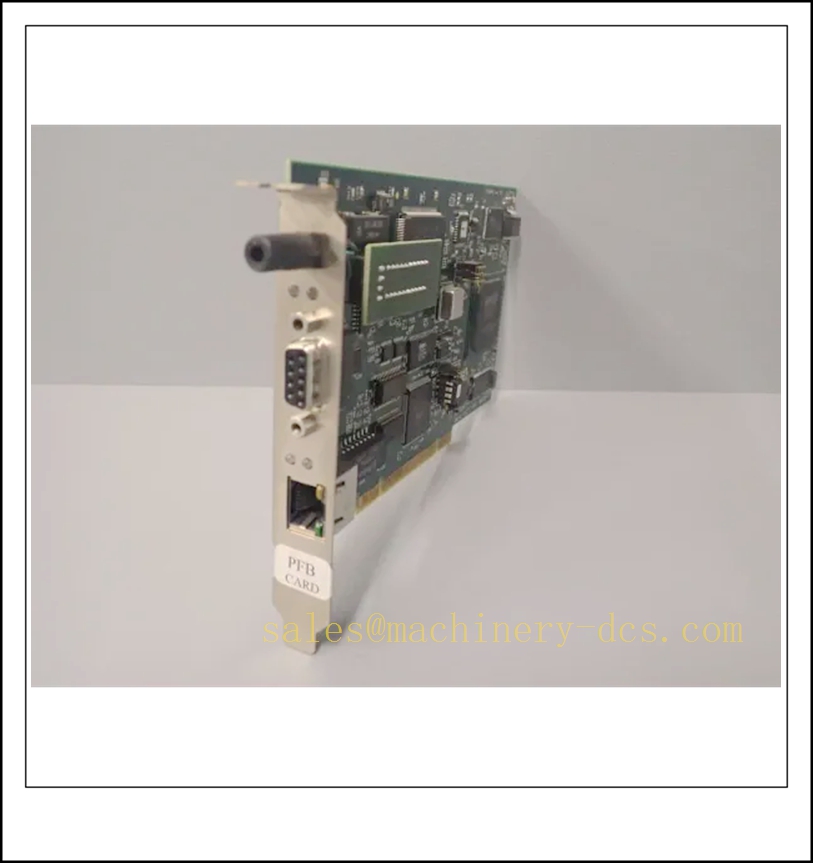
Molex PCU-DPIO Industrial Communication Unit
Product Core Introduction
PCU-DPIO is a high-performance distributed power and communication unit from Molex Direct-Link™ series, designed to serve as a reliable bridge between upper-level industrial controllers and field I/O devices. Built for harsh industrial automation environments, it integrates power distribution, protocol processing and industrial network communication functions in one compact modular enclosure, eliminating the complexity of traditional separate PLC + remote I/O architectures. The unit supports seamless Profibus DP-V0/DP-V1 protocol conversion, delivering stable low-latency data transmission for mission-critical systems in manufacturing, energy and process industries.
Key Technical Specifications
- Full product designation: Molex PCU-DPIO (part number 1120115028, alias DRL-DPM-PCIE)
- Communication protocol: Profibus DP-V0 (master/slave), Profibus DP-V1 (master)
- Bus interface: PCI Express 1x (PCIe)
- Transmission rate: 9.6 kbps to 12 Mbps, adaptive
- Physical port: 9-pin D-Sub female connector
- Onboard processor: AMD SC520
- Operating voltage: 24 VDC (PCIe card version: 3.3V)
- Max power consumption: 5.5W
- Operating temperature range: 0°C to +65°C
- Ingress protection rating: IP20
- Warranty period: 12 months from delivery
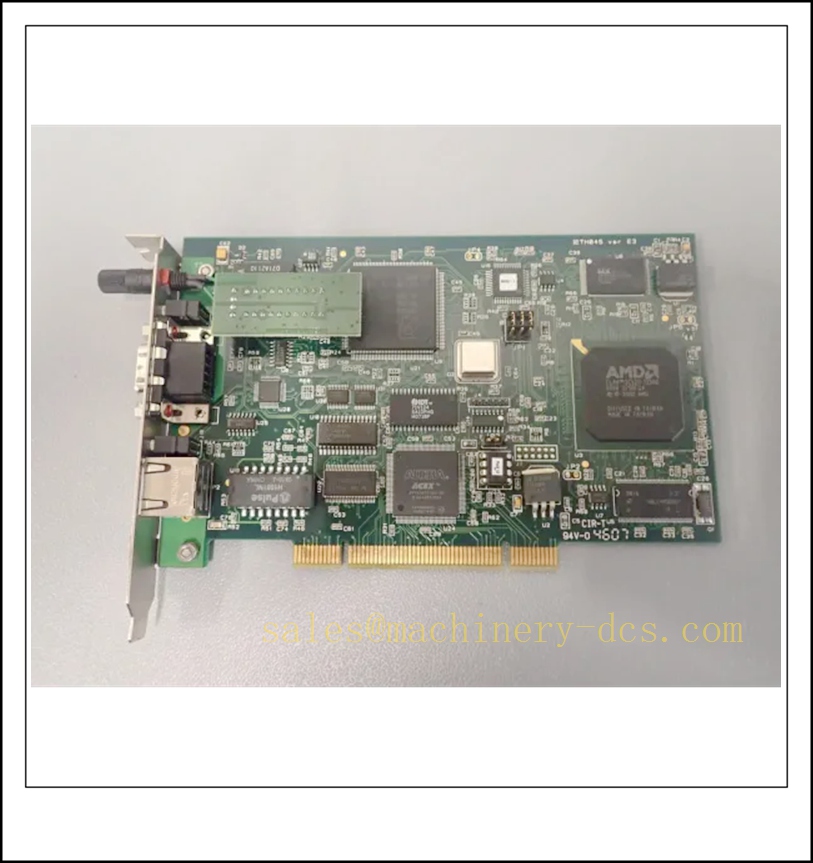
PCU-DPIO
Recommended Compatible Models in the Same Series
- DRL-DPM-PCIE: Standard Profibus DP master/slave PCIe communication card, for general industrial PC integration
- PCU-DPIO-24V: 24VDC powered distributed I/O communication module, for cabinet-side field deployment
- Direct-Link™ PROFINET DPIO: Profinet protocol version of distributed power and communication unit
- PCU-DPIO-IS: Intrinsically safe variant, certified for hazardous area Zone 2 applications
- DRL-DPM-PCI: Legacy PCI bus Profibus communication card, for older industrial workstation upgrades
- PCU-DPIO-485: Extended RS-485 port version, supporting multi-point serial field device connection
Professional Quality Control Test Standard Operating Procedure
- Visual & Mechanical Inspection
Verify enclosure integrity, connector alignment and screw mounting tolerance; confirm no physical damage on PCB components and modular locking mechanisms. - Power Cycle Endurance Test
Apply 9-30VDC wide range input, perform 500 consecutive power on/off cycles, record startup current and confirm no under-voltage or over-voltage protection fault occurs. - Communication Stability Bench Test
Connect to standard Profibus DP master station, run 72-hour continuous data transmission test at 12Mbps baud rate, ensure zero frame loss and 100% data integrity. - Temperature & Humidity Aging Test
Place unit in environmental chamber, run 48-hour aging at 60°C / 90% relative humidity, confirm all communication functions remain fully operational after recovery to room temperature. - ESD & Surge Immunity Test
Conduct 6kV contact ESD test on all ports, apply 2kV surge pulse on power line, verify no hardware crash or configuration data loss after test. - Final Functional Calibration & Labeling
Write unique serial number into onboard firmware, run full feature diagnostic scan, attach qualified product label and release to warehouse.
New Module Installation Guideline
- Power off the host industrial PC or controller, disconnect all external power supply cables before opening the chassis or mounting rail.
- For PCIe card version: Align PCU-DPIO card with the empty PCIe x1 slot on motherboard, press down firmly until the locking latch clicks, fix the bracket with original screw.
For distributed module version: Snap the unit onto standard 35mm DIN rail inside control cabinet, lock the side mounting clips to prevent accidental sliding. - Connect 9-pin D-Sub Profibus cable to the communication port, terminate the bus end with standard 120Ω Profibus termination resistor.
- Power on the host hardware, install official Direct-Link configuration utility, complete driver matching and assign unique Profibus station address via software interface.
- Run built-in communication diagnostic tool, verify data exchange status between PCU-DPIO and all connected slave devices, confirm no bus fault code is reported.
Application Scenarios & Distinctive Features
- Thermal Power Turbine Monitoring Systems: Delivers ultra-stable Profibus communication for vibration, speed and temperature signal acquisition, ensures real-time data transmission for turbine safety interlock logic.
- Chemical Process Automation Lines: Compact modular design saves 30% control cabinet space, supports long-term continuous operation under high electromagnetic interference environment.
- Automotive Manufacturing Production Lines: Low CPU load protocol processing offloaded by onboard AMD SC520 processor, supports synchronous data interaction with over 64 field I/O nodes.
- Legacy Profibus Network Renovation Projects: Seamlessly replaces old PCI/ISA bus communication cards, no need to modify existing field wiring and original PLC program.
- Key features: Full master/slave mode flexibility, TPM 2.0 compatible security extension, hot-swap capable modular design, plug-and-play integration with mainstream Profibus configuration software.
Frequently Asked Questions
- Q: My PCU-DPIO cannot be recognized by industrial PC after installation?
A: Confirm the PCIe slot is not disabled in BIOS, re-seat the card and reinstall the latest official driver; avoid using passive PCIe extension cable longer than 50cm. - Q: Profibus network keeps reporting intermittent communication dropouts?
A: Check if bus termination resistor is only enabled at the two physical ends of the entire Profibus cable, confirm total cable length does not exceed maximum distance corresponding to current baud rate. - Q: Can this module work as a Profibus master to configure other DP slave stations?
A: Yes, PCU-DPIO fully supports DP-V1 master function, you can use supporting configuration software to complete parameterization and diagnosis for all standard Profibus slave devices. - Q: What is the difference between PCU-DPIO and ordinary Profibus card?
A: PCU-DPIO integrates independent power distribution and I/O base function, not only acts as a communication interface, but also can directly supply power and manage data for adjacent distributed I/O modules. - Q: Is spare parts replacement compatible with old DRL-DPM-PCIE units?
A: Yes, all PCU-DPIO units are fully hardware and driver backward compatible, no program modification is required for direct replacement.

 Send an Email