
Description
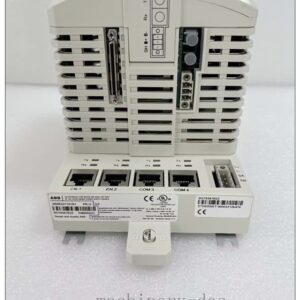
Allen‑Bradley (Rockwell Automation) 6177R‑MMPWX Non‑Display Industrial Computer, Machine Mount, 4‑Slot Performance Package, Windows 10 64‑bit OS
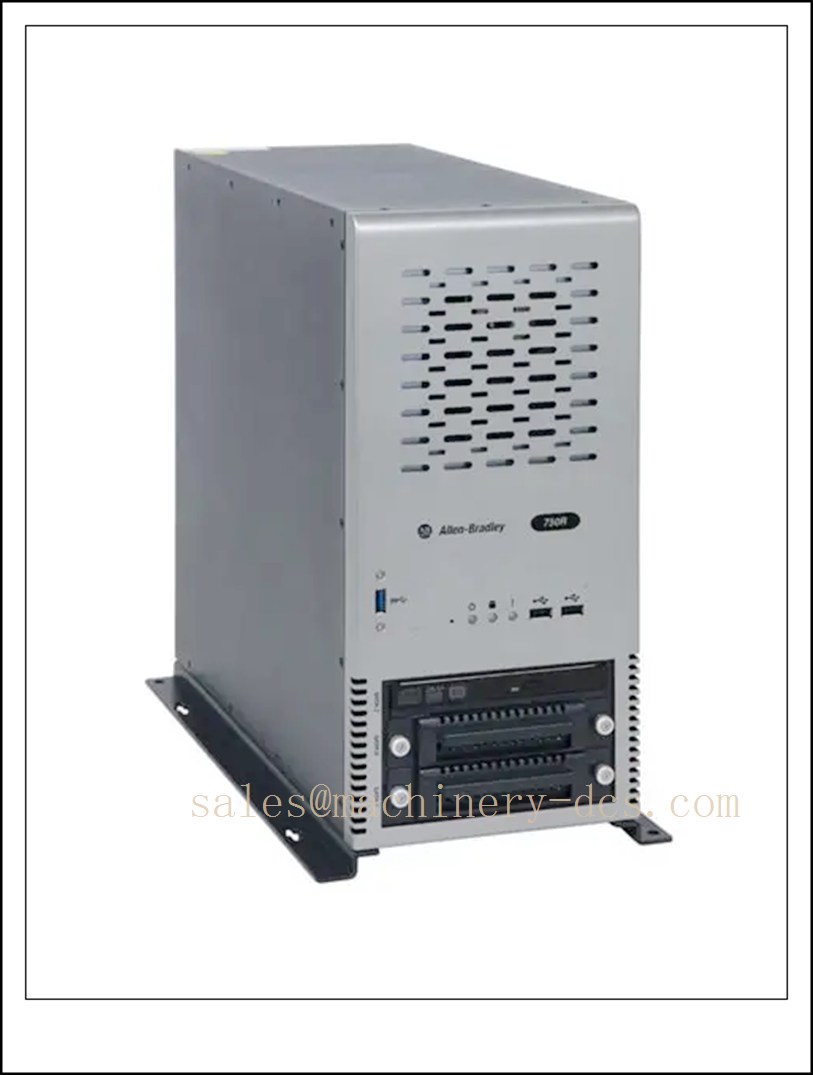
6177R-MMPWX
Technical Specifications
- Catalog Number: 6177R‑MMPWX
- Brand: Allen‑Bradley / Rockwell Automation
- Form Factor: Machine mount (750R series), non‑display industrial PC
- Expansion Slots: 4 slots (Performance package)
- Processor: Intel Core i3‑2120, 3.3 GHz, Dual‑Core (2nd Gen Intel Core)
- Graphics: Intel HD 2000 integrated graphics
- Memory: DDR3 RAM, standard 4 GB, expandable up to 32 GB
- Storage: SATA HDD, hot‑swappable drive bay support
- Operating System: Microsoft Windows 10 IoT Enterprise 64‑bit
- I/O Interface: Multiple USB 2.0 / USB 3.0 ports, Ethernet, serial COM, audio, VGA
- Operating Temperature: 0 °C ~ +55 °C (32 °F ~ 131 °F)
- Cooling: Industrial forced air cooling
- Lifecycle Status: Discontinued (End of Sale: Dec 31, 2021)
- Dimensions: 360 mm (H) × 170 mm (W) × 381 mm (D)
- Compliance: Designed to meet industrial EMC and shock/vibration standards for factory environments
Key Features & Advantages
- Display‑less machine‑mount design: Integrates directly onto machinery without an on‑board HMI panel, saving cabinet space for machine builder layouts.
- Balanced industrial performance: 2nd Gen Intel dual‑core platform delivers stable computing for HMI runtime, data logging, and industrial software.
- Flexible PCI / PCIe expansion: 4‑slot expansion architecture allows users to add fieldbus cards, motion control cards, communication adapters and data acquisition modules.
- Hot‑swap storage support: Reduces downtime for storage replacement and data maintenance.
- Wide temperature tolerance: Ruggedized construction withstands temperature fluctuation, dust and vibration typical on production floors.
- Native Windows 10 64‑bit platform: Compatibility with Rockwell FactoryTalk, Allen‑Bradley software suites and third‑party Windows‑based industrial applications.
- Tight integration with Rockwell control ecosystem: Seamless communication with ControlLogix, CompactLogix and other Allen‑Bradley controllers over EtherNet/IP.
- Long‑term stable runtime: Optimized for unattended 24/7 operation in automation systems.
Application Fields
- Packaging machinery, material handling and conveyor systems
- CNC machine tools and metal processing equipment
- Assembly lines, automotive production stations
- Water treatment, energy skids and process auxiliary control
- Factory data acquisition, OPC server and edge data collection
- Standalone machine control systems without local operator screens
- Industrial vision inspection and measurement workstation hosts
Related Product Recommendations
- 6177R‑MMPNO: Machine mount, Performance package, No OS
- 6177R‑MMPW7: Machine mount, Performance package, Windows 7 64‑bit
- 6177R‑MMAWX: Machine mount, Advanced package, Windows 10 64‑bit
- 6177R‑RMPWX: Rack‑mount non‑display PC, Performance package, Win10
- 6181P: Integrated display industrial computer (VersaView)
- 6186M: Industrial monitor / HMI display
- 6200P / 6200M: Modern Rockwell industrial PC replacement series (recommended new upgrade)
- 6177R‑MMSS8: Machine mount server model, Windows Server 2008
Installation & Maintenance
Installation
- Securely mount the unit to machine frames or cabinet panels using the dedicated mounting bracket; ensure sufficient clearance for front and rear airflow.
- Route power and communication cables separately from high‑power motor cables to minimize electrical noise interference.
- Confirm supply voltage matches the rated input before power‑on.
- Install expansion cards only after power disconnection; properly seat PCI/PCIe cards and secure retention brackets.
- Connect remote display, keyboard/mouse or Ethernet network as required for remote administration.
Maintenance
- Periodically clean the air filter and internal fan to prevent dust accumulation and overheating.
- Inspect fan operation, temperature readings and drive health during routine shutdown windows.
- Back up system image and application configuration regularly; use hot‑swap capability for storage replacement.
- Keep OS patches and industrial runtime software updated per site change control procedures.
- Since this model is discontinued: avoid unnecessary hardware disassembly; source tested spare units for critical standby.
- Log all replacement of fans, hard drives and expansion cards for asset traceability.

 Send an Email