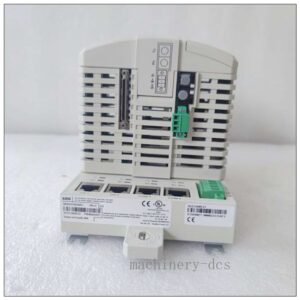
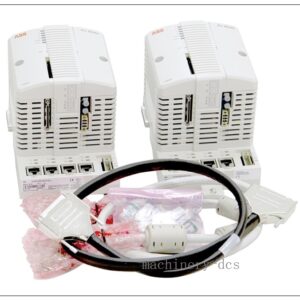
ABB UFC719AE01 | 3BHB000272R0101 IOEC I/O Interface Board, Industrial Automation Spare Part
- UFC719AE01 / 3BHB003041R0101
- UFC718AE01 / 3BHB000271R0101
- UFC721AE01 / 3BHB000274R0101
- KUC711AE101 / 3BHB004661R0101
- KUC755AE105 / 3BHB005243R0105
- SDCS-POW-4 / 3BHB002558R0001
- SDCS-IOB-23 / 3BSE005731R0001
- 3BHB003154R0101 / 5SHX1960L0004
- CI853 / 3BSE003828R1
- CI840A / 3BSE041434R1
- TB840A / 3BSE020848R1
- AI830A / 3BSE008518R1
- AO810 / 3BSE008522R1
- DI810 / 3BSE008508R1
- DO810 / 3BSE008510R1
This product is already in your quote request list.
Description
ABB UFC719AE01 | 3BHB000272R0101 IOEC I/O Interface Board, Industrial Automation Spare Part
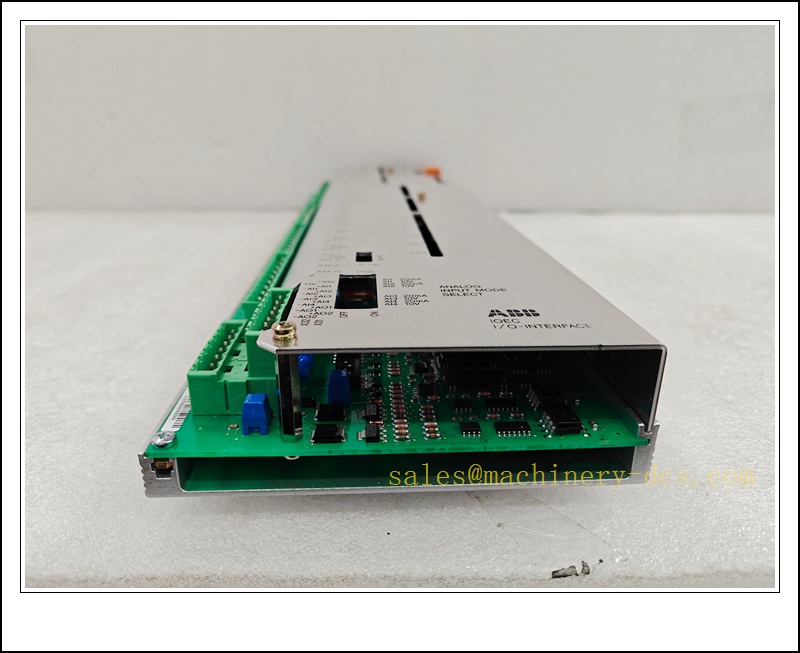
 is an ABB IOEC high-performance I/O interface spare board, widely deployed in ABB AC800M / 800xA distributed control and drive control systems. It acts as the signal bridge between field sensors, actuators and the main controller, responsible for real-time acquisition of field analog & digital signals, output of control commands, and high-speed internal bus communication.Adopted rugged industrial PCB design, integrated self-diagnosis and multi-layer hardware protection circuits. Modular hot-swap compatible structure enables fast on-site replacement to cut plant downtime. Commonly used for power generation, metallurgy, pulp & paper, chemical processing and heavy-duty drive control loops.</p>
<div id=)
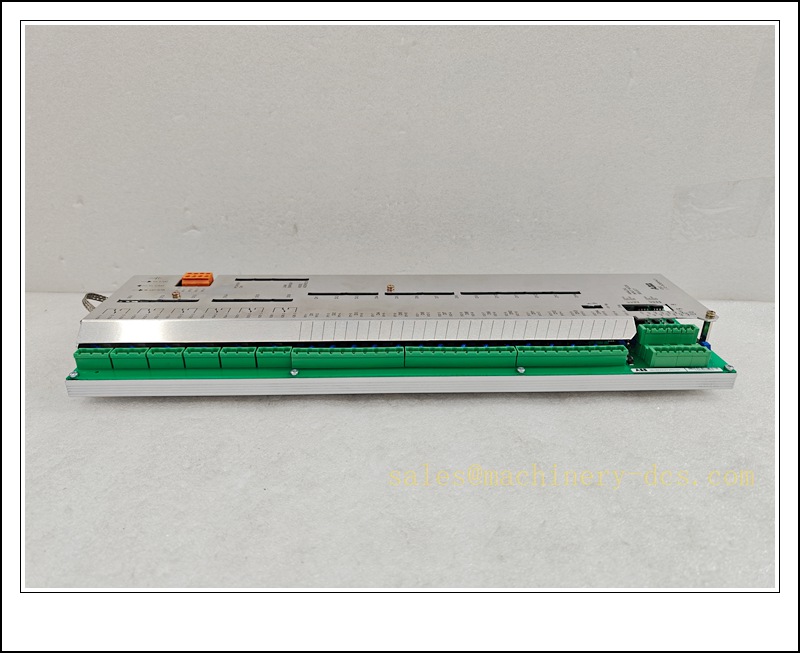
3BHB000272R0101 UFC719AE01
Main Technical Specifications
| Item |
Specification |
| Brand |
ABB |
| Model |
UFC719AE01 |
| Order No. |
3BHB000272R0101 |
| Function |
IOEC I/O Interface Control Board |
| Supply Voltage |
24VDC (Permitted tolerance ±10%), reverse polarity protection |
| Communication |
Internal IOEC bus, support redundant link, shielded differential signal transmission |
| Operation Temp. |
-25℃ ~ +70℃ |
| Ambient Humidity |
5%~95% RH, non-condensing |
| Enclosure Rating |
IP20 (for cabinet internal installation only) |
| Features |
Built-in watchdog, overvoltage, overcurrent & overtemperature protection, onboard status LED indicators |
| Mounting |
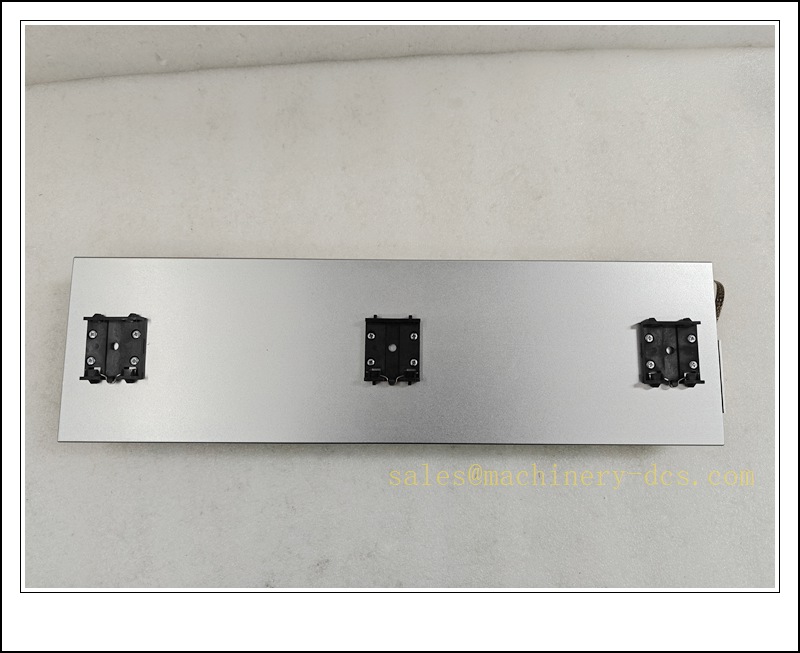
DIN rail / backplane slot mounting |
| Applicable System |
ABB AC 800M, 800xA, large drive control system |
Quality Control Procedure
- Incoming Visual Inspection: Check PCB solder joints, terminal blocks, component integrity, label authenticity and packaging condition.
- Static Protection Handling: All inspection & test steps executed inside ESD workstation with grounded wrist strap & mat.
- Power-on Burn-in Test: Continuous energized ageing under rated voltage for 4 hours; monitor LED status and communication stability.
- Functional Verification: Connect with matching backplane, run system diagnostic tool to verify all I/O channels and bus link.
- Compatibility Test: Cross-check firmware version matching with target ABB controller system.
- Final QC & Marking: Record SN, test log, attach inspection label; vacuum anti-static packaging.
- Pre-shipment Review: Double-check model, order number and quantity before dispatch.
Recommended Related Models & Order Codes (15pcs)
- UFC719AE01 / 3BHB003041R0101
- UFC718AE01 / 3BHB000271R0101
- UFC721AE01 / 3BHB000274R0101
- KUC711AE101 / 3BHB004661R0101
- KUC755AE105 / 3BHB005243R0105
- SDCS-POW-4 / 3BHB002558R0001
- SDCS-IOB-23 / 3BSE005731R0001
- 3BHB003154R0101 / 5SHX1960L0004
- CI853 / 3BSE003828R1
- CI840A / 3BSE041434R1
- TB840A / 3BSE020848R1
- AI830A / 3BSE008518R1
- AO810 / 3BSE008522R1
- DI810 / 3BSE008508R1
- DO810 / 3BSE008510R1
Frequently Asked Questions
Q1: Is UFC719AE01 3BHB000272R0101 compatible with 3BHB003041R0101?A: Yes, they belong to the same IOEC series, functional equivalent, different batch order codes; confirm firmware revision before replacement.
Q2: Can this board be hot swapped?A: It supports hot-swap in redundant backplane configuration under correct system setup. Non-redundant single channel needs power-down replacement.
Q3: What should I do if the red fault LED lights up after installation?A: First check 24VDC power polarity and voltage value; verify bus wiring and shielding; run ABB diagnostic software to read fault code.
Q4: What is the warranty term?A: New original spare: 12-month warranty. Refurbished stock: 6-month warranty, exclude damage caused by ESD, wrong wiring or overvoltage.
Q5: Can it be used for ACS800 / ACS2000 large drives?A: Yes, it is a standard IOEC interface spare widely matched with ABB high-power drive control unit.
Q6: Does the board support custom firmware upgrade?A: Firmware shall only be upgraded via official ABB tool; wrong firmware will cause communication failure.
Installation & Configuration Guide
Pre-installation
- Confirm cabinet environment: dust-free, no condensation, well ventilated, away from high-voltage cables and power modules.
- Prepare ESD protection, insulated screwdriver, shielded IOEC communication cable.
- Confirm controller hardware revision and project backup before replacement.
Installation Steps
- Isolate related control loop safely; cut off 24V DC supply of the backplane.
- Unlock the slot latch, extract the faulty board vertically.
- Take new board from anti-static bag only while wearing ESD wrist strap, avoid touching PCB circuits.
- Align golden finger connector, insert smoothly into IOEC backplane slot and lock the latch.
- Wire field I/O signals and IOEC bus; use shielded twisted-pair cable, separate power cable and signal cable.
- Restore 24VDC power supply, observe front panel status LED.
Configuration & Commissioning
- Open ABB Control Builder M / Automation Builder, go to hardware tree.
- Scan hardware, confirm the board is recognized by controller.
- Download matching parameter configuration, verify I/O channel mapping.
- Perform single-point I/O forcing test to check input acquisition and output response.
- Run system self-diagnosis, clear alarm if no hardware fault exists.
- Restore automatic control mode and record replacement log.
Maintenance Notes
- Do not clean PCB surface with liquid solvent.
- Check terminal torque and cable shielding periodically during shutdown maintenance.
- Keep spare board stored in vacuum anti-static bag at dry indoor condition.


 Send an Email