
Description
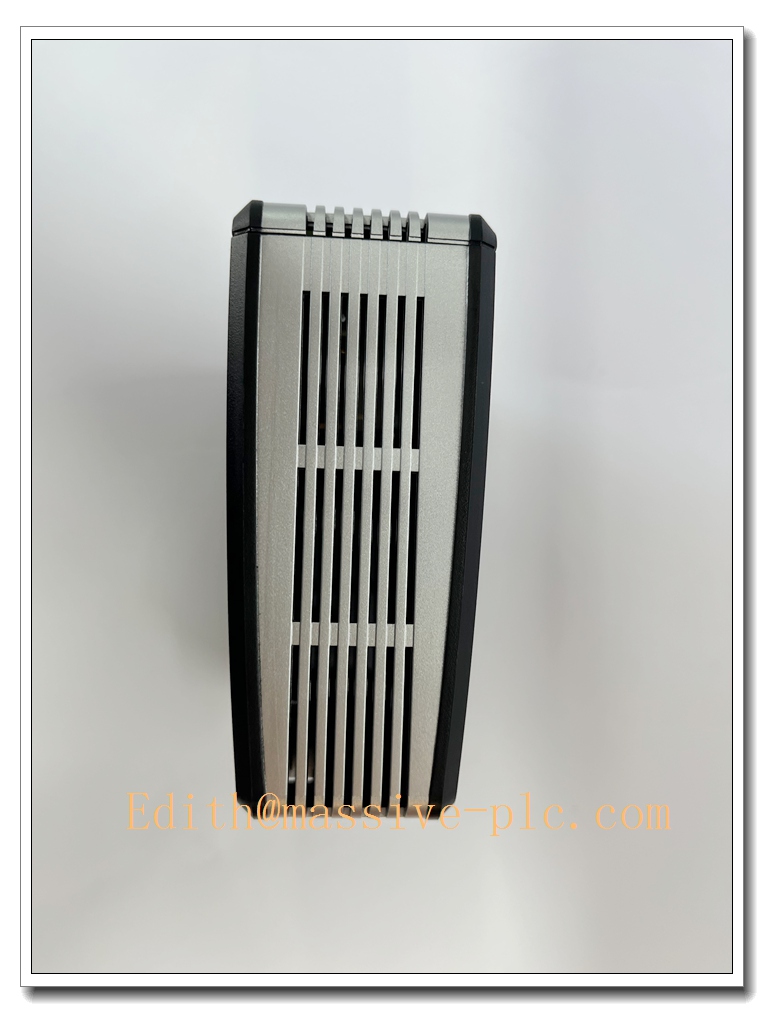
ProSoft PLX32-EIP-SIE EtherNet/IP to Siemens S7 Industrial Gateway, Protocol Converter, PLC Communication Bridge, Industrial Automation Spare Part
Product Application
PLX32-EIP-SIE is a high-performance industrial protocol gateway manufactured by ProSoft Technology. It realizes bidirectional data exchange between EtherNet/IP network and Siemens S7 protocol (S7-1200/1500/300/400). It acts as a bridge to connect Rockwell EtherNet/IP controllers and Siemens S7 PLCs, exchanging tags, registers, alarms and process data without modifying the existing PLC program.
- Automobile production line cross-brand PLC communication
- Petrochemical plant mixed control system data interconnection
- Power plant auxiliary system Rockwell & Siemens equipment integration
- Food & beverage packaging line multi-brand controller data exchange
- Water & wastewater treatment plant protocol conversion retrofit
- Factory modernization and legacy system spare replacement
- Building automation and material handling system cross-protocol data transmission
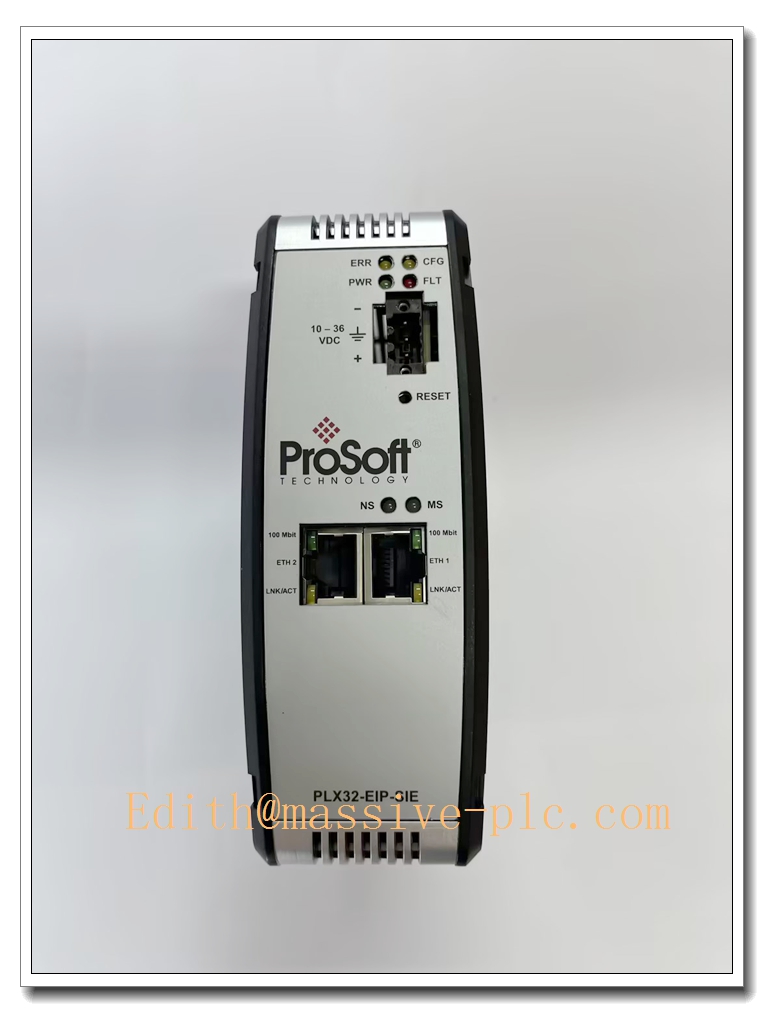
PLX32-EIP-SIE
Specifications
- Part Number: PLX32-EIP-SIE
- Brand: ProSoft Technology
- Product Type: EtherNet/IP <-> Siemens S7 Protocol Gateway
- Supported Protocols: EtherNet/IP (Scanner/Adapter), Siemens S7 (ISO-on-TCP)
- Mounting: DIN rail mounting
- Protection Class: IP20 (cabinet installation only)
- Dimension: 115 × 99 × 42 mm
- Weight: Approx. 0.26 kg
- Power supply: 24VDC (18 ~ 30 VDC)
- Power consumption: Max 4W
- Ethernet Ports: Dual independent 10/100 Mbps Ethernet ports
- Condition: Original new / refurbished spare available
- Compliance: CE, UL, FCC industrial communication standard
Parameters
- Data Mapping: Bidirectional configurable tag/register mapping between EtherNet/IP and S7
- Connection: Supports multiple concurrent S7 client/server connections and EtherNet/IP connections
- Configuration: PC configuration software (ProSoft Configuration Builder)
- Operating Temperature: -20°C ~ +60°C
- Storage Temperature: -40°C ~ +85°C
- Relative Humidity: 5%~95% RH, non-condensing
- Shock & Vibration: Comply with IEC 60068 industrial vibration standard
- Status Indicator: Front LEDs for power, network link, activity, module fault status
- Diagnostic: Network link detection, communication timeout, configuration error monitoring
Key Features
- Industrial protocol gateway, bidirectional data transfer between EtherNet/IP and Siemens S7 ISO-on-TCP protocol
- Dual isolated Ethernet ports, separate network segmentation for EtherNet/IP and S7 network to improve network security
- Support multiple concurrent PLC connections, suitable for multi-device integration scenarios
- Easy configuration via ProSoft Configuration Builder software, flexible data mapping setup
- Compact DIN rail housing, simple installation inside standard control cabinet
- Built-in comprehensive diagnostic functions for quick troubleshooting of network and communication issues
- No PLC program modification required, reduces project commissioning risk
- Rugged industrial hardware design, stable operation under factory electromagnetic interference environment
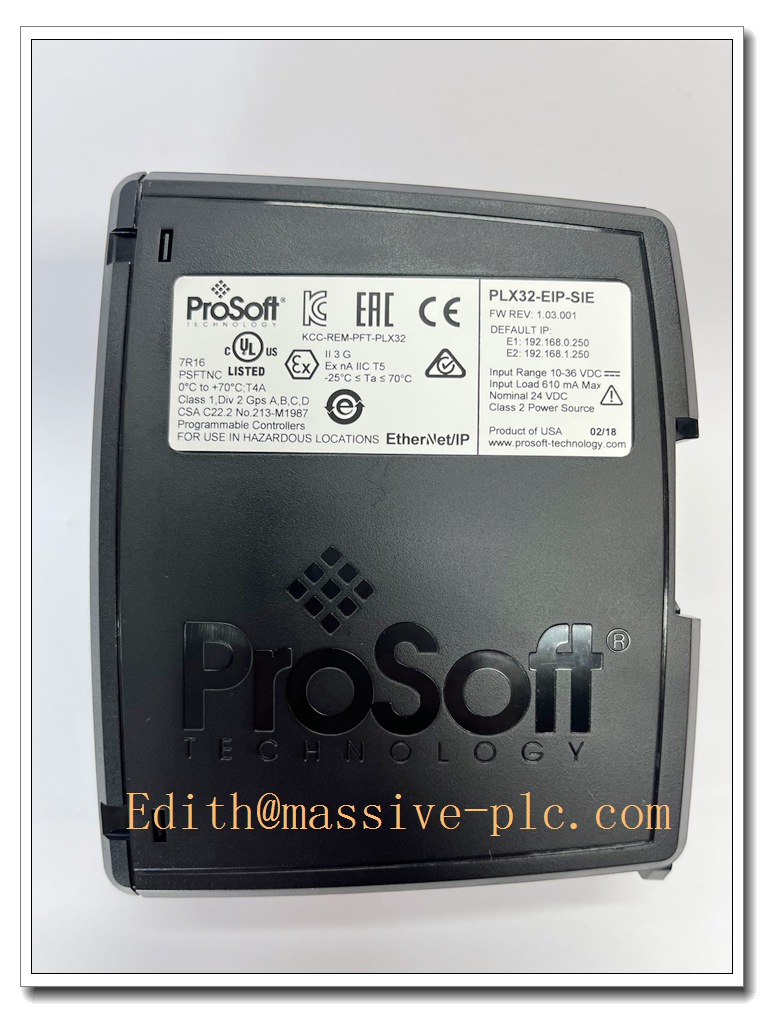
PLX32-EIP-SIE
Same Series Related Models (≥6)
- PLX32-EIP-SIE
- PLX32-EIP-MBTCP
- PLX32-SIE-MBTCP
- PLX32-EIP-PND
- PLX32-MBS-EIP
- PLX32-DFNT-SIE
- PLX32-PND-MBTCP
Maintenance
- Routine inspection: Check LED status, DIN rail mounting and Ethernet cable connections every 6–12 months
- Clean module surface with dry compressed air; liquid solvent cleaning is strictly prohibited
- ESD protection must be adopted during disassembly, anti-static wristband required
- If communication timeout or data loss occurs, check Ethernet wiring, IP address settings and remote PLC connection status
- Do not energize the module if PCB corrosion, burn marks or condensation are found
- We support function testing, refurbishment and spare replacement service for this PLX32-EIP-SIE protocol gateway
Installation
- Cut off 24VDC auxiliary power supply before installation or replacement.
- Wear anti-static wristband to prevent electrostatic damage to communication chip.
- Mount PLX32-EIP-SIE firmly on DIN rail inside control cabinet.
- Connect 24VDC power supply; connect EtherNet/IP network cable to Port 1 and Siemens S7 network cable to Port2, properly ground cable shielding.
- Power on the module, connect PC with configuration software, set IP addresses and data mapping tables.
- Download configuration to gateway, verify connection status with EtherNet/IP and S7 PLC.
- Check all wiring and confirm no loose connections.
- Test bidirectional data read/write between two networks, confirm stable data exchange and complete commissioning.

 Start Chat


 Send an Email