
Description
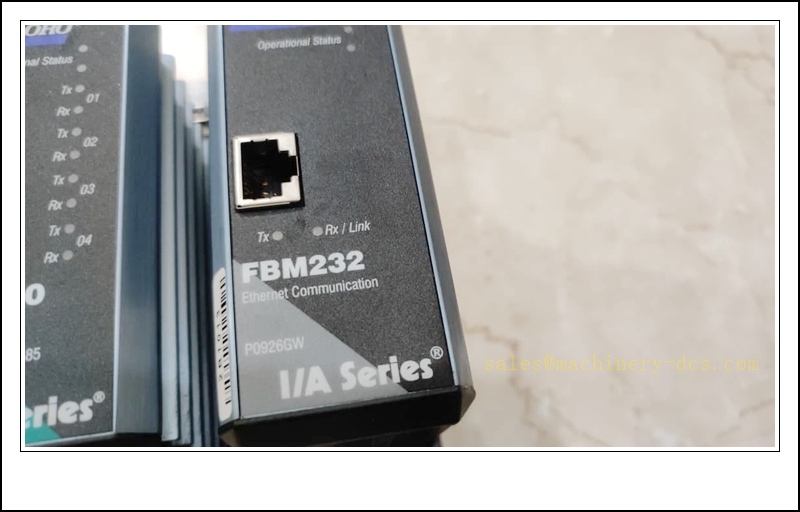
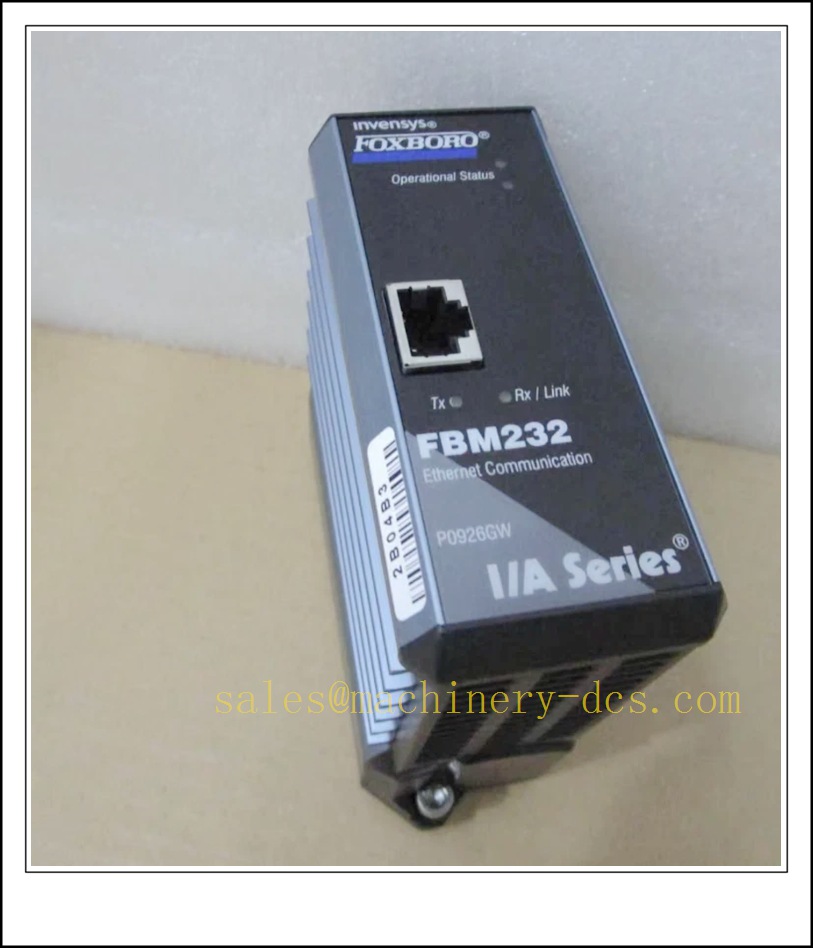
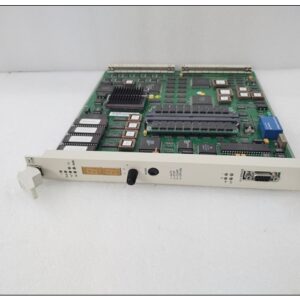
FBM232, Part No. P0926GW, Schneider Foxboro I/A Series FDSI (Field Device System Integrator) single isolated Ethernet communication module
P0926GW
Core Product Introduction
FBM232 (P0926GW) is a field communication gateway for Foxboro I/A & Evo DCS platform. It bridges third-party Ethernet field instruments, PLCs, analyzers, valve controllers and drives into the Foxboro control database via downloadable protocol drivers. It supports up to 64 external Ethernet devices and maximum 2000 DCI control block connections. This is a single RJ45 port variant; the redundant dual-port sibling is FBM233. Widely deployed in refineries, chemical, power and pulp & paper plants for Modbus TCP and other Ethernet field bus integration tasks.
Main Technical Specifications
| Item | Parameter |
|---|---|
| Part Number | FBM232 / P0926GW |
| Manufacturer | Schneider Foxboro (Invensys) |
| Platform | I/A Series / Foxboro Evo DCS |
| Function | FDSI Ethernet field device integrator gateway |
| Ethernet Interface | 1 × isolated RJ45, 10/100 Mbps auto-negotiation, TCP/UDP/IP |
| Max connected field devices | 64 units |
| Max DCI blocks | 2000 |
| Power Supply | 24 VDC (21.6 ~ 25.2 VDC), max 7W consumption |
| Mounting | FBM modular baseplate, DIN rail or 19” rack mount via accessory kit |
| Hot Swap | Supported |
| Env Rating | Class G3 harsh industrial grade |
| Operating Temperature | 0 °C ~ +60 °C |
| Storage Temperature | -40 °C ~ +85 °C |
| Humidity | 5%–95% RH, non-condensing |
| Certifications | CE, cULus |
| Lifecycle Status | Mature, spare stock available; no new active project promotion |
| Weight | ~284 g |
Quality Control Procedure
- Visual & Label Inspection: Verify original Foxboro marking, P0926GW part number, serial sticker, baseplate edge connector without bent pins or corrosion, LED window intact.
- 24VDC Power Boot Test: Install on matching FBM baseplate, power on, confirm operational status LED, Tx/Rx/Link LED behaviour, no overheating.
- Ethernet Port Test: Connect to industrial switch, verify link negotiation at 10/100Mbps, ping test.
- Driver Download Test: Load protocol driver via Foxboro DCS engineering station.
- Device Scan & DCI Mapping: Connect Modbus TCP slave device, scan registers and build DCS control interface blocks.
- Channel Fault Simulation: Disconnect field Ethernet cable or slave power, verify module fault alarm and diagnostic logging.
- Load Capacity Test: Validate multi-device polling under near-max DCI block load.
- Hot-swap test: Remove and reinsert module on powered baseplate, confirm automatic reconnection.
- Firmware compatibility check: Match firmware version with I/A Evo system revision.
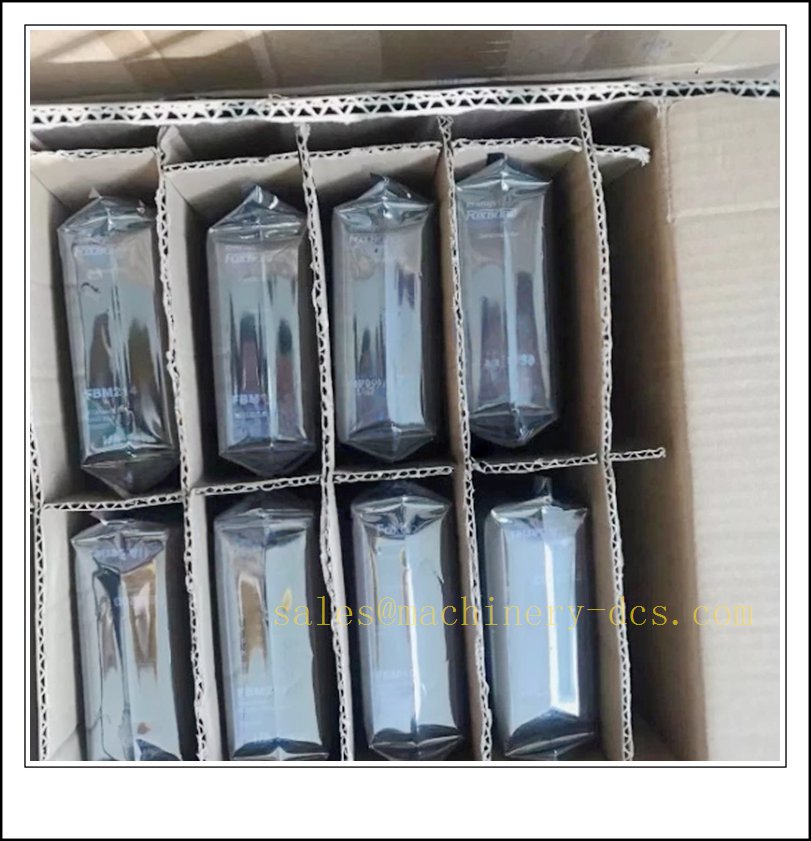
- Packaging & Traceability: Anti-static bag + foam protection, serial-number QC report before shipment.
Frequently Asked Questions (FAQ)
Q1: What is the difference between FBM232 and FBM233?A1: FBM232 = single Ethernet port, non-redundant field network; FBM233 = dual isolated Ethernet ports for redundant field network architecture. Backplane footprint is compatible, but port wiring and redundancy logic differ.
Q2: Which protocols does FBM232 support?A2: Drivers are downloaded from Foxboro driver library; primary use case is Modbus TCP. Other drivers are available subject to system firmware release. It is not a native Foxboro control network card.
Q3: Can it communicate to Foxboro CP / FCP controller directly?A3: It sits on the FBM local baseplate backplane and exchanges data with the control processor through the I/A FBM subsystem. The Ethernet side is only for third-party field equipment.
Q4: Is hot swap safe during production run?A4: Hardware hot-swap capable. All Ethernet field points mapped through this module will go bad during replacement. Apply alarm bypass and MOC procedure for continuous process.
Q5: Can I use ordinary office switch for field network?A5: Recommended: managed industrial switch with IGMP, wide temperature and EMC protection. Office switches may cause polling timeouts in high-noise plant environments.
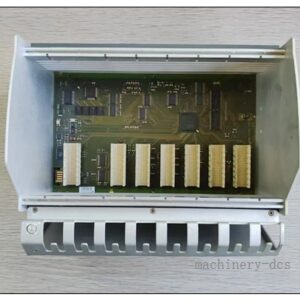
Q6: What baseplate does it need?A6: Standard FBM modular baseplate (P0926HM series). One baseplate accepts multiple FBM modules including .
Installation & Configuration Guide
- Prep: , matching FBM baseplate, 24VDC redundant power, industrial Ethernet switch, I/A engineering station, field Modbus TCP devices.
- Module Insertion: Plug into baseplate slot and lock retention screw.
- Wiring: 24VDC power to baseplate; shielded CAT5e industrial Ethernet cable from RJ45 port to field switch. Separate from VFD power cables.
- Power Up: Energize baseplate, confirm module self-test completes without hardware fault.
- Engineering Station Recognition: Import module into I/A control configuration, assign module slot address.
- Protocol Driver Load: Download required field device driver (Modbus TCP etc.) to .
- Field Device Configuration: Define IP addresses, slave IDs, polling rate and register mapping.
- DCI Block Build: Create DCI blocks to bring Modbus values into Foxboro control database for control, indication and alarm.
- Online Commissioning: Monitor link status, polling health, tag values and fault alarms.
- Backup: Save the FBM configuration, driver archive and control database checkout.
Warning: All process points routed through will be lost upon module or field network failure. Critical safety signals should not rely solely on this Ethernet gateway without independent hardwired backup.
Related I/A FBM Series Models & Accessories (15 pcs)
| Model | Order Number | Description |
|---|---|---|
| Redundant Ethernet FDSI | FBM233 P0926GX | Dual-port redundant field Ethernet gateway |
| FBM baseplate | P0926HM | Modular baseplate for FBM200 series |
| FCP280 | RH924YA | I/A Series control processor |
| FBM204 | P0914SY | 4–20mA analog input module |
| FBM207B | P0914TD | Digital input module |
| FBM214 | P0914XJ | Analog output module |
| FBM242 | P0916JH | Serial Modbus RTU gateway |
| Industrial Ethernet switch | FBM-SW-5P | 5-port managed industrial switch |
| FBM terminator cable | P0971PK | Null hub adapter cable |
| I/A Engineering software | IACC / Evo Workbench | Foxboro DCS configuration tool |
| Redundant power for baseplate | P0922YU | FBM baseplate redundant 24V PSU |
| Surge protector | FBM-SURGE-RJ45 | Ethernet surge barrier |
| conformal coated | -CC | Conformal coated for corrosive environment |
| I/A system manual | I/A-FDSI-MAN | FDSI module operation manual |
| Replacement gateway alternative | FBM235 | Next-gen FDSI Ethernet module |

 Send an Email